
TutorialImage studio·8 min read
One photo, nine angles: the prompt set that keeps the face the same
Most people generate one good shot and stop. A lookbook needs nine — and writing nine prompts gets you nine different women. The fix is not a better description. It is giving the prompt a different job.
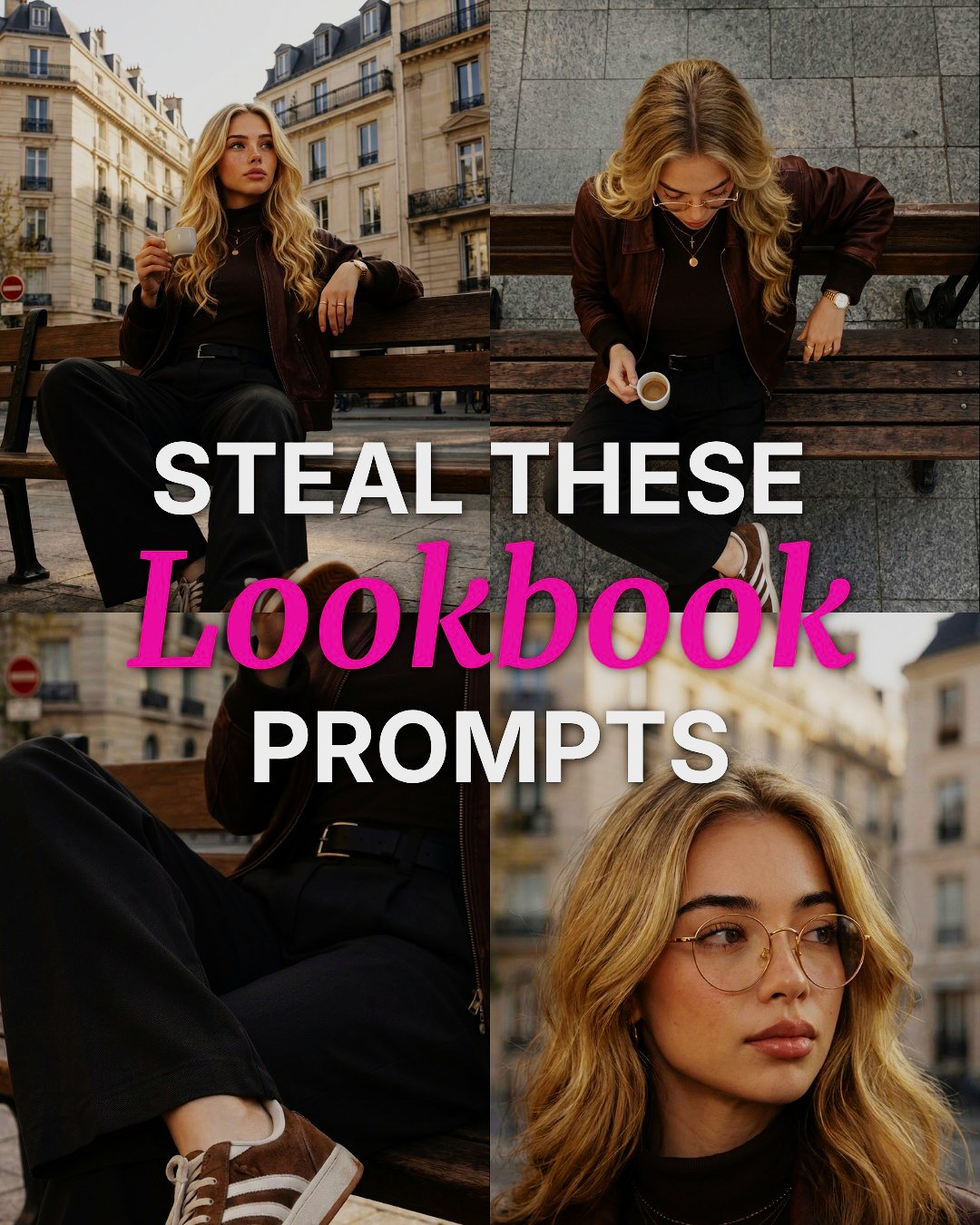
Contact sheet — one base frame, six camera positionsParis / bench / golden hour
 01 Slightly lower angle
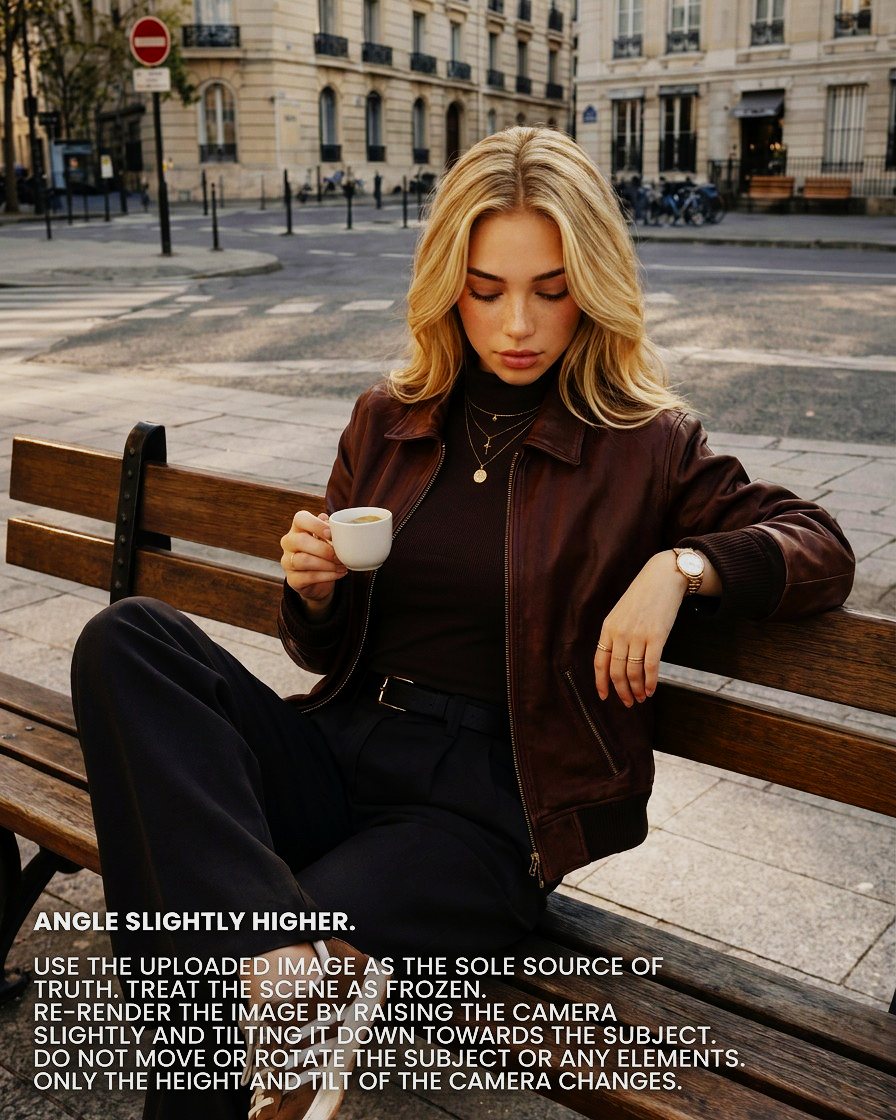
 02 Angle slightly higher
 03 Close-up
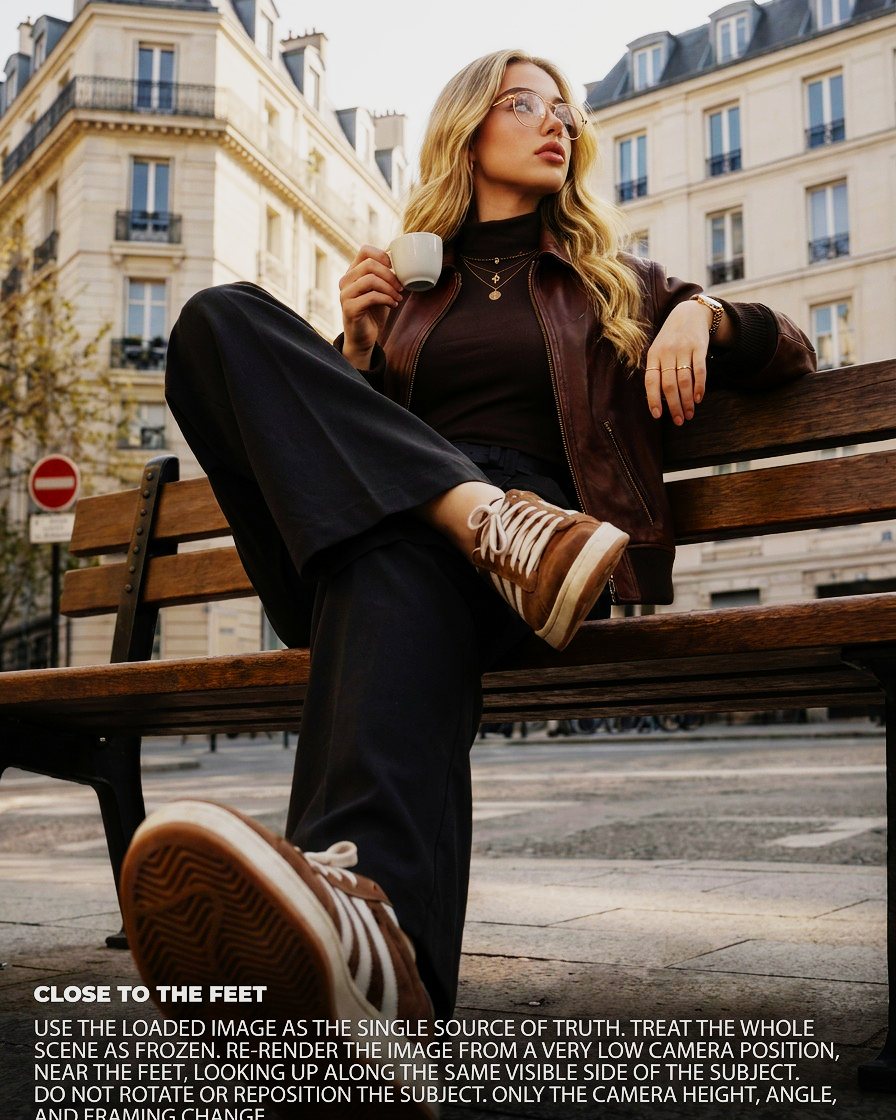
 04 Close to the feet
 05 Oblique aerial
 06 Top-down, 90°
The three clauses that do the work
You stop describing a scene and start moving a camera around one that already exists. Every prompt in this method is built from the same three instructions, in the same order. Read the six below and you will see the pattern repeat with almost no variation. That is the point — the prompt is a form, not an essay.
- 01
Source of truth
Use the loaded image as the sole source of truth. The reference outranks the model's own priors. Without this line the image is treated as inspiration, and the gaps get filled with whatever is most probable — which is rarely your subject.
- 02
Freeze
Treat the entire scene as frozen. Nothing moves. Not the person, not the objects, not the light, not the time of day. The set has been struck and locked.
- 03
The exception
Only the camera height and tilt can change. One narrow permission, plus an explicit list of what must not change. This is where sets fall apart. Vague loses: keep it consistent means nothing to a model. Enumerated wins.
Before you move the camera
Every flaw in the base image gets inherited six times. Spend the budget here, not on the variations.
- Hands and fingers are resolved. A bad hand at 20% frame height becomes a bad hand at 60% in the close-up.
- Every accessory you want kept is clearly visible. If it is ambiguous in the base, it will disappear somewhere in the set. This is exactly where ours failed.
- Light direction is unambiguous. The model needs to know where the sun is to keep shadows honest when the camera moves.
- There is environment to spare. A tight base frame gives an aerial shot nothing to expand into, so the model invents a street.
The six moves
Run them in this order. It is not arbitrary: each successful render becomes another reference point, and the easy moves stabilise the identity before you ask for the hard ones. The diagram beside each name shows where the camera sits relative to the subject, and how close.
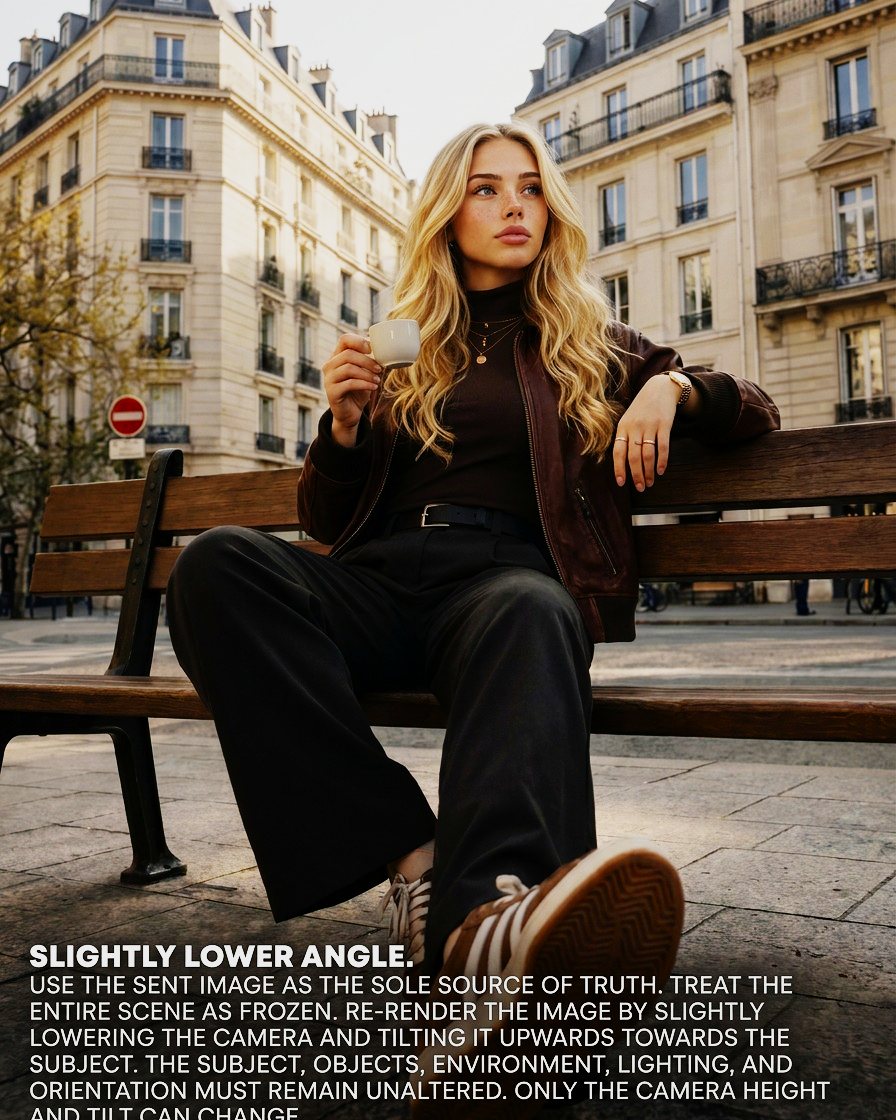
01
Slightly lower angle
Low risk
The workhorse. Adds authority, lengthens the subject, and barely asks the model to invent anything that was not already in frame.
Prompt
USE THE SENT IMAGE AS THE SOLE SOURCE OF TRUTH. TREAT THE ENTIRE SCENE AS FROZEN. RE-RENDER THE IMAGE BY SLIGHTLY LOWERING THE CAMERA AND TILTING IT UPWARDS TOWARDS THE SUBJECT. THE SUBJECT, OBJECTS, ENVIRONMENT, LIGHTING, AND ORIENTATION MUST REMAIN UNALTERED. ONLY THE CAMERA HEIGHT AND TILT CAN CHANGE.
Height −10° · tilt up · distance held
02
Angle slightly higher
Low risk
The mirror move. Softer, more candid, and useful when the base frame reads too posed to sit in a lookbook.
Prompt
USE THE UPLOADED IMAGE AS THE SOLE SOURCE OF TRUTH. TREAT THE SCENE AS FROZEN. RE-RENDER THE IMAGE BY RAISING THE CAMERA SLIGHTLY AND TILTING IT DOWN TOWARDS THE SUBJECT. DO NOT MOVE OR ROTATE THE SUBJECT OR ANY ELEMENTS. ONLY THE HEIGHT AND TILT OF THE CAMERA CHANGES.
Height +14° · tilt down · distance held
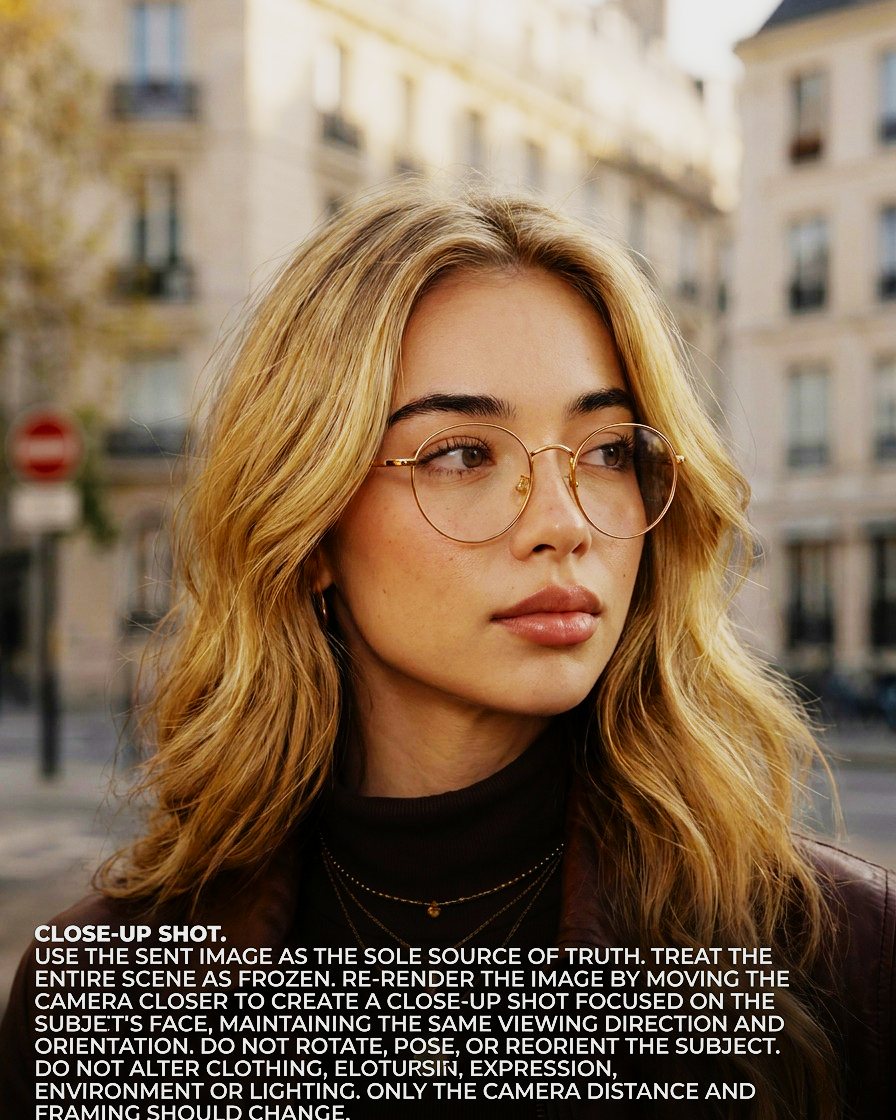
03
Close-up
First real test
Moving in reveals face detail that was never in the base frame — pores, stray hairs, the edge of an iris. All of it is invented. If the identity is going to slip, it usually slips here first.
Prompt
USE THE SENT IMAGE AS THE SOLE SOURCE OF TRUTH. TREAT THE ENTIRE SCENE AS FROZEN. RE-RENDER THE IMAGE BY MOVING THE CAMERA CLOSER TO CREATE A CLOSE-UP SHOT FOCUSED ON THE SUBJECT'S FACE, MAINTAINING THE SAME VIEWING DIRECTION AND ORIENTATION. DO NOT ROTATE, POSE, OR REORIENT THE SUBJECT. DO NOT ALTER CLOTHING, COLOURS, EXPRESSION, ENVIRONMENT OR LIGHTING. ONLY THE CAMERA DISTANCE AND FRAMING SHOULD CHANGE.
Height held · distance −45% · framing tight
04
Close to the feet
Expect re-runs
A camera at ankle height sees the underside of a shoe, the underside of a bench, the tread on a sole — none of which exist in a seated eye-level frame.
The phrase doing the heavy lifting is along the same visible side. Without it the model will happily walk the camera around the bench and show you a face that was never in the reference.
Prompt
USE THE LOADED IMAGE AS THE SINGLE SOURCE OF TRUTH. TREAT THE WHOLE SCENE AS FROZEN. RE-RENDER THE IMAGE FROM A VERY LOW CAMERA POSITION, NEAR THE FEET, LOOKING UP ALONG THE SAME VISIBLE SIDE OF THE SUBJECT. DO NOT ROTATE OR REPOSITION THE SUBJECT. ONLY THE CAMERA HEIGHT, ANGLE, AND FRAMING CHANGE.
Height −17° · tilt up · same side of subject
05
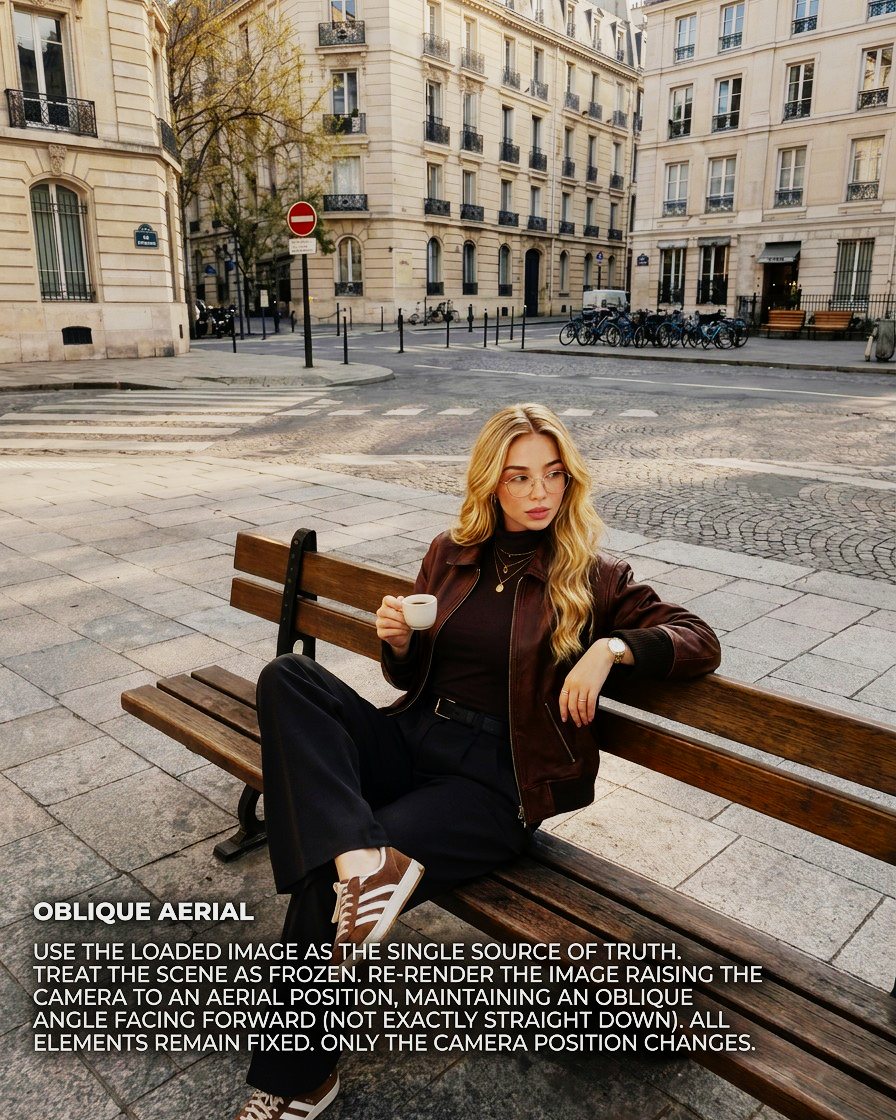
Oblique aerial
Check the background
The subject stays recognisable, but the model has to build a whole intersection the base frame only implied. Audit what is behind her more carefully than her.
Prompt
USE THE LOADED IMAGE AS THE SINGLE SOURCE OF TRUTH. TREAT THE SCENE AS FROZEN. RE-RENDER THE IMAGE RAISING THE CAMERA TO AN AERIAL POSITION, MAINTAINING AN OBLIQUE ANGLE FACING FORWARD (NOT EXACTLY STRAIGHT DOWN). ALL ELEMENTS REMAIN FIXED. ONLY THE CAMERA POSITION CHANGES.
Height +37° · oblique, facing forward · distance +20%
06
Top-down, 90°
Hardest — run it last
Straight down means almost nothing in the base frame anchors the render: no horizon, no facial landmarks in their usual arrangement, no familiar silhouette. It is the highest ratio of invented to inherited information anywhere in the method — and it is the frame that stops the scroll.
Prompt
USE THE LOADED IMAGE AS THE SOLE SOURCE OF TRUTH. TREAT THE SCENE AS FROZEN. RE-RENDER THE IMAGE BY MOVING THE CAMERA DIRECTLY ABOVE THE SCENE AND POINTING IT DOWN AT 90 DEGREES. THE SUBJECT AND ENVIRONMENT MUST REMAIN UNCHANGED: ONLY THE CAMERA POSITION CHANGES.
Height +70° · nadir, 90° down · distance +10%
What broke in our set
Six frames are good enough to ship. Four things went wrong, and they are worth more to you than the six that worked.
The glasses appear and disappear
Thin gold frames, present in four renders, gone in two. No prompt in the set mentions eyewear, so the model correctly concluded it was not on the protected list.
Hair drifts
Longer and wavier in the low-angle frames, shorter and straighter from above. The prompts protect the subject as a concept but never name hair as an attribute.
The jacket changes finish
Matte suede in some frames, polished leather in others. Same colour, same cut, different material — which a fashion client catches immediately even if a casual viewer does not.
Necklace layering shifts
Two chains in some frames, three in others, with the pendants swapping order.
None of these are really model failures. They are four instances of one authoring failure: the negative list was not specific enough. The prompt says do not alter clothing and the model reads that as do not put her in a different jacket. It does not read it as keep the nap of the suede.
The fixed template
Here is the version to use. The camera line changes; nothing else does. The negative list is long on purpose — it costs nothing, and it is the difference between a set and six strangers. Name anything small, anything reflective, and anything a client has paid for.
Corrected template
USE THE LOADED IMAGE AS THE SOLE SOURCE OF TRUTH. TREAT THE ENTIRE SCENE AS FROZEN.

[CAMERA INSTRUCTION]

DO NOT CHANGE: the subject's face and bone structure; hair length, colour and wave pattern; eyewear; every item of jewellery and the order it is layered in; garment cut, colour, fabric and finish; the contents of the subject's hands; light direction, colour temperature and time of day; and every object in the environment.

ONLY [PERMITTED CAMERA PARAMETERS] MAY CHANGE.
The QA pass
Lay every render in a grid at roughly 200px. Drift you cannot see at full resolution is obvious at that scale — the same reason art directors squint at a proof sheet. Then check in this order, because the cost of a miss descends the same way.
- Face and bone structure
- Hair length, colour, wave pattern
- Hands and what they are holding
- Accessories — eyewear, jewellery, watch, bag
- Fabric and finish
- Light direction and shadow length
Anything that fails goes back with its attribute added explicitly to the negative list. Do not re-run the whole set.
Six stills is not the deliverable
The grid is the middle of the job, not the end.
- The 4:5 paid staticMove 01 and the base frame carry it. Lower angles hold up when a headline lands in the top third.
- The thumbnailMove 03. Your profile crop, your ad thumb, and the frame that has to survive being shown at 80px in a feed.
- The scroll-stoppersMoves 05 and 06. They read as impossible camera positions, which is exactly why the thumb pauses.
- The 9:16 cropMove 04. The low frame has vertical room to spare.
And once identity is locked across six stills, it is locked for motion. The same reference set is what a video model needs to keep the same person moving through a six-second cut.
Run it against your own base frame
Every image in this walkthrough is generated. Nobody sat on that bench, and nobody was photographed. We mark our output accordingly, and we think anyone publishing work like this should say so plainly rather than wait to be asked. How we handle consent, likeness and disclosure →
Start creating